How to restart a conversation with a match on Hinge
Restarting a dead Hinge thread: when to reach out, why Fresh Start and likes behave the way they do, and how to read the reply without overthinking it.
A thread that has gone quiet looks different from each side. You remember the last message you sent and what you meant by it. She probably remembers very little, maybe a name, a photo, and a vague sense that a conversation existed. Hinge buries stale chats under newer matches, so a dead thread often slips out of sight the way a letter slides behind a radiator. Her silence may say far less about you than you fear, and that works in your favor, because a person who barely remembers the old exchange has nothing to forgive.
Your aim is narrow. You are not trying to win back lost ground or prove you are still interested. You want her to receive one message that is easy to answer and gives her a reason to answer it today rather than tomorrow. That means a fresh hook, such as a detail from a prompt you skipped over the first time, a small thing that happened to you this week, or a follow-up to something she said that never got its due. The old thread is only a doorway.
Timing on the platform matters in ways people overlook. Many people searching for this find the Fresh Start idea, where Hinge brings a past connection back into view, and then get frustrated when it does not appear. That feature has been inconsistent and is not available to everyone, so building your plan around it is a gamble. Likewise, you cannot like your own message, and tapping a heart on an old chat will not push the thread to the top. What does work is sending a plain new message into the existing conversation, and checking whether the match still exists at all. If she unmatched you, the thread is gone and no re-opener can reach her.
What tends to backfire is the message that is really a request for reassurance. Apologizing for the gap, explaining your busy month, or asking whether she is still around hands her a job: she now has to comfort you or decide how much she owes you. Even a friendly version of that reads as heavy. The same goes for a bulk of questions stacked into one text, or a joke about being ghosted that quietly points a finger at her. Each of these turns a light restart into a small negotiation, and people rarely volunteer for those.
Reading her response is simpler than it feels. A reply that adds something of her own, a detail, a counter-question, even a teasing line about the delay, means the door is open, and you should match her pace rather than rush it. A reply of one or two words with no question attached is polite but cool, and one friendly follow-up is the most it deserves. Silence after three to five days is your answer. Sending a second restart to the same quiet thread rarely changes the outcome and tends to leave a worse impression than the first message did.
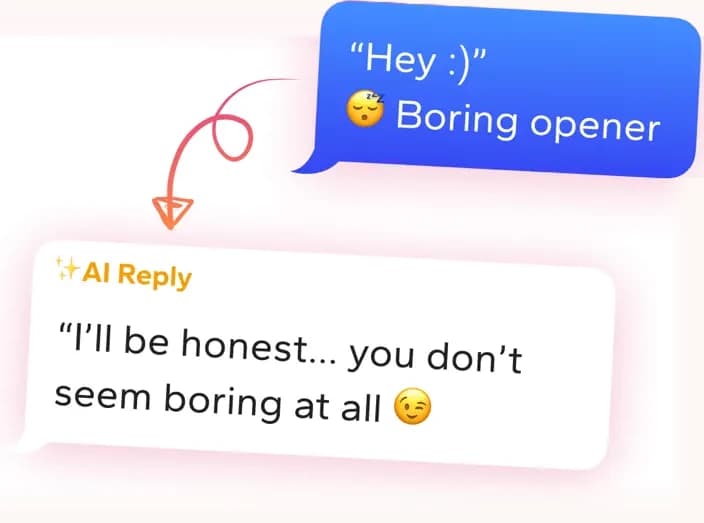
Get replies that sound like you
Screenshot the conversation in WingAI. It reads the vibe and gives you natural replies for this exact situation.
Try for freeHinge AI Screenshot the prompts and get a comment written for that profile.
Check that the match still exists
Before drafting anything, open the thread and see whether she is still there. If she unmatched you, the chat vanishes, and no amount of cleverness brings it back. Hinge does not offer a simple way to re-match with someone who removed you, so if you search for a way to like someone back and find nothing, that is usually why. If she is still in your matches, scroll up and reread the last few exchanges. Look for anything left hanging: a question you never answered, a place she mentioned, a joke that landed. Those loose threads are your best raw material, far better than inventing a topic from nothing.
Use her profile, not the old chat
A dead conversation often died because it was shallow, so leaning on it again just revives the shallow part. Go back to her prompts and photos instead. Pick one detail you did not mention before and connect it to something from your own week. A hiking photo pairs with a trail you just tried. A prompt about a favorite show pairs with an episode you finished. Keep the question attached to it small enough to answer in a sentence. The point is that she sees someone who paid attention to her profile and has a real reason to be writing today.
Fresh Start and likes do not rescue chats
Plenty of people search for Fresh Start, wonder if they can like their own message, or hunt for a re-match button, hoping the app will do the restarting for them. In practice none of these is reliable. Fresh Start has not shown up for everyone, and a like on an old message adds nothing to a thread she has already stopped checking. Treat the app tools as extras, never as the plan. The plan is a good message, sent once, with a clear reason behind it. If a feature happens to help surface the conversation, fine, but do not wait around for it.
Why these don't work
“Hey! Sorry I vanished, work has been insane. Are you still on here?”
It asks her to forgive you and confirm she is active, which makes her do emotional work for a thread she barely remembers.
“Hey stranger, long time no talk. Want to grab drinks this weekend?”
A date request after weeks of silence skips the step of giving her anything to react to, and it assumes a rapport the dead thread never built.
“Guess you got busy too lol. Anyway, what are you up to?”
The little jab about the silence puts her on the defensive, and the closing question is so open that she has nothing specific to answer.
Pitfalls to avoid
- Explaining the gap at length. A line about being swamped at work or traveling hands her a story to judge and pulls attention away from the reason you are writing today.
- Waiting on Fresh Start, a like, or some other app feature to bring the thread back instead of simply sending a good message into it.
- Sending a follow-up within a day or two because she has not replied yet. People answer re-openers slowly, and a second nudge makes the first one look anxious.
People also ask
- How do I restart a Hinge conversation that went quiet?
- Send one new message into the existing thread that refers to something specific, like a prompt on her profile or a small event from your week. Skip the apology and the question about whether she is still there. Make it easy to answer in a sentence, then leave it alone for several days.
- Why is Hinge Fresh Start not showing up?
- The feature has been inconsistent and does not appear for every account or in every region. If you do not see it, you cannot force it. Do not count on it as your plan. A direct message into the old thread, sent once, is the reliable route to reopening the conversation.
- Can you like your own message on Hinge?
- No. You can only like another person's profile content or message, so there is no way to boost your own text. A like will not bring a stale thread back to the top either. If you want her to see you again, the fix is sending a new message with a fresh hook.
- Can you re-match with someone on Hinge after they unmatched you?
- Generally not through any button or feature. Once she unmatches, the conversation disappears for both of you, and Hinge offers no simple re-match option. If she shows up again in your recommended profiles, you can like her once more, but do not count on it happening.
It doesn't sound like a bot
“I overthink every text. Having three options and picking the one that sounds like me cut that spiral short.”
Sam R.
“I always freeze on the first sentence. This gets me past that blank box so I actually hit send.”
joejoe4567
“I'm busy and half the profiles give you almost nothing to work with. WingAI gets me a solid first line fast without me staring at the screen for ten minutes.”
Ralph
Get replies that sound like you
Screenshot the conversation in WingAI. It reads the vibe and gives you natural replies for this exact situation.
Try for free