How to edit your Tinder bio and make it work
How to edit your bio on Tinder, from the exact taps to rewriting it so matches have something real to message about. Includes what to change and when.
Someone who lands on your profile is deciding in a few seconds whether you are worth a message. The photos got you a pause, and the bio decides what happens next. Most people read it quickly, hunting for one detail that feels specific enough to react to. They are not judging your prose. They are checking whether a real person with real habits is behind the pictures, and whether there is an easy way in.
Your goal when you edit is to change what happens after the pause. If you collect matches who never write, the bio has probably given them nothing to hold. If you collect messages that all feel the same, the bio is probably attracting people for the wrong reasons. Treat the edit as a small experiment with a clear question. What do I want the first message to be about? Pick that, then write toward it. A line about the Sunday you spend rebuilding a bike frame invites questions about bikes. A line about wanting someone who is down to earth invites nothing.
The mechanics are quick. Open Tinder, tap your profile icon, then tap Edit Info. The About Me box sits just under your photos. Type your changes and back out of the screen to save. The section you are looking for is called About Me in the editor, so if you searched for how to edit the about me part, that is the same field. Keep a copy of your old text in your notes before you replace it, because you may want to compare results later. The character limit is generous, but the live profile is read on a phone, so anything past a few short lines tends to get skipped.
What tends to backfire is overcorrecting. After a dry spell, people often swing to a long confession about past dating luck, or to a wall of rules about who should not bother. Both read as defensive. A paragraph of dealbreakers makes the reader audit themselves instead of imagining a conversation with you. Another common slip is borrowing a joke format you have seen everywhere, which makes you look like a template instead of a person. Jokes can work, but they need to be about something particular to you, not a shared meme.
Reading the results takes patience. Give a new bio a week or two before judging it, since early swipes are scattered. Then look at what the first messages mention. If people keep asking about the same detail, that detail is doing your work, so keep it and build around it. If nobody references anything, the bio is too vague to grab. If you get replies from people you have no interest in, the bio is pulling the wrong crowd, and the fix is usually swapping one detail rather than rewriting everything.
The exact steps to change it
Open Tinder and tap the profile icon, usually in the bottom corner. Tap Edit Info, and scroll past your photos until you reach About Me. Tap the box, delete or rewrite your text, then tap the back arrow or Done to save. The change shows up on your live profile right away. If the box seems to refuse your edit, check your connection and close any unsaved changes, then try again. Some accounts show extra fields below the bio, such as job, school, or interests. Those are separate from About Me, so editing one does not touch the other. Before you delete anything, paste your old bio into a notes app. That way you can compare how the two versions perform instead of guessing.
Pick one detail to lead with
Before typing, decide what you want the first message to be about. Go through the last month and find something concrete: a standing Thursday ritual, a strong opinion about a neighbourhood bakery, a hobby with an odd learning curve. Choose the one that makes you slightly more animated when you describe it aloud. Put that first, because the top line is the only part guaranteed to be read. Then add one supporting detail that gives a second possible topic. Skip anything you would not want to talk about for ten minutes. A detail you are lukewarm about produces lukewarm conversations, and you will feel it by the third message.
Tuning it after a quiet stretch
If matches have slowed or conversations die after one line, change a single element and wait. Swap the first detail, shorten a long sentence, or cut the part that sounds like a wish list. Changing everything at once makes it impossible to tell what helped. Check which messages come in over the next week and what they reference. A repeated question about one line tells you where the energy is. Silence from people who match tells you the bio is too bare or too abstract. Resist the urge to edit daily. A profile that keeps changing never gets a fair read, and you end up chasing noise instead of a pattern.
Why these don't work
“Dog dad, coffee enthusiast, gym rat. Looking for someone who gets me.”
Every noun here is shared by thousands of profiles, so a match scrolling for a specific hook finds nothing to ask about.
“I'm 6'2, make six figures, and looking for someone serious. No games.”
Stats and demands turn the bio into a checklist, which gives a reader something to pass or fail instead of a person to talk to.
“Ask me anything lol”
It hands the effort to the stranger reading it, and with no detail to anchor a question, most people will simply swipe past.
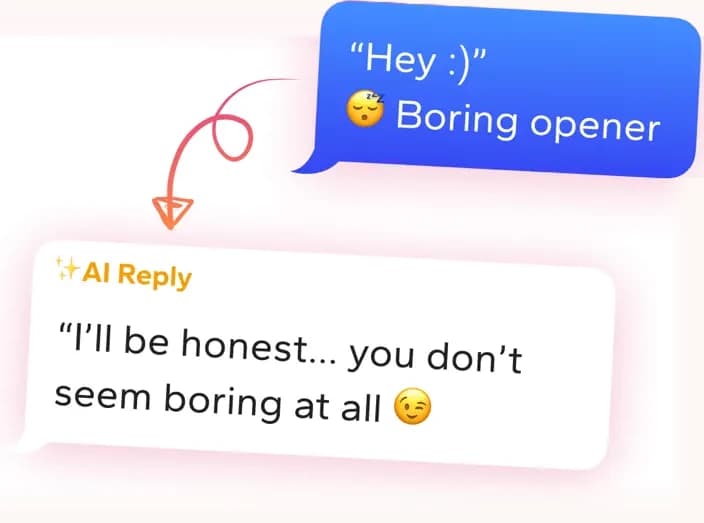
Get replies that sound like you
Screenshot the conversation in WingAI. It reads the vibe and gives you natural replies for this exact situation.
Try for freeTinder AI Screenshot the photos and get an opener for that match.
People also ask
- How do I edit my bio on Tinder?
- Tap your profile icon, then Edit Info, and find the About Me box under your photos. Type your new text, then go back or tap Done to save. The updated bio appears on your live profile immediately. Copy the old version somewhere first so you can compare results.
- Where is the about me section on Tinder?
- It sits inside Edit Info, directly below your photo grid. It is labelled About Me. Job, school, and interests are separate fields further down, so changing them does not alter your bio text.
- Why can't I change my Tinder bio?
- Usually it is a connection problem or an outdated app. Check your internet, close and reopen Tinder, and update it to the latest version. If the text still will not save, log out and back in. Very long text can also fail to save, so trim it and try again.
- How often should I change my Tinder bio?
- Every two or three months is plenty, or sooner if your matches stop messaging. Give a new version at least a week or two before judging it. Changing it constantly means you never collect enough responses to see what is working.
It doesn't sound like a bot
“I was skeptical at first. Then I tried it on a dry chat and the replies actually sounded like me, not a chatbot.”
Mazoonx
“I overthink every text. Having three options and picking the one that sounds like me cut that spiral short.”
Sam R.
“I'm busy and half the profiles give you almost nothing to work with. WingAI gets me a solid first line fast without me staring at the screen for ten minutes.”
Ralph
Pitfalls to avoid
- Rewriting the whole bio after one slow weekend, which erases the details that were working and leaves no way to tell what caused any change.
- Stacking dealbreakers and requirements so the reader audits themselves instead of picturing a conversation with you.
- Copying a popular joke format instead of writing about something particular to your own week, which makes your profile blend into the pile.
Get replies that sound like you
Screenshot the conversation in WingAI. It reads the vibe and gives you natural replies for this exact situation.
Try for free