What "active now" on Instagram really means for your reply
Seeing 'active now' next to someone's name on Instagram means the app is open on their end, nothing more. Here is how to read it and what to send.
The green dot or the words "active now" mean one narrow thing: her account had a live session within the last few minutes. That could be a phone in her hand, a tab open on a laptop, or a notification she swiped past while the app stayed open. You cannot tell which from your side. Someone watching stories on a train and someone who left Instagram running while she cooks dinner look identical to you. So the status describes her device, and almost nothing about her attention.
What you are really after is a reply that gets read and answered without a fight. That changes what you should write. Her attention might be split between your message, a video, and whatever is on the stove, so a short line with one easy hook beats a long one with a heavy question. You are also trying to avoid training yourself into a habit where her green dot decides when you feel allowed to talk. If every message depends on catching her online, you will start reading silence as rejection whenever the dot is lit and nothing arrives.
Timing on this platform behaves oddly. Instagram refreshes presence in short bursts, so "active now" can linger a few minutes after she has left, and it can also be missing entirely if she turned the setting off. Many people do exactly that, which means an absent dot proves nothing either. Direct messages from someone she has not chatted with recently may land in a requests folder or sit under a collapsed thread, so she can be online and still not see you. If you found her through Hinge and moved to Instagram, you are also a fairly new name in her inbox, which makes it easier for your message to be buried under friends and group chats.
The usual way this goes wrong is the follow up spiral. You send a message, see her active, see nothing back, and send a second one to "bump" it. Then a third, maybe a joke about the silence. Each extra message adds a small demand: now she owes you an answer to several things, and the mood of the exchange shifts from light to slightly pressured. Calling out that you can see she is online lands worst of all, because it tells her you are watching her activity, and she may answer with distance instead of warmth.
Reading her response comes down to pace and effort once she does write. A quick reply with a question of her own means the thread has her interest. A short reply that closes the topic means she answered out of politeness, so match her energy and let it breathe. If she replies hours later with no apology and no tone change, that is simply her rhythm, and it is usually not a verdict on you. A pattern over several days tells you far more than any single green dot.
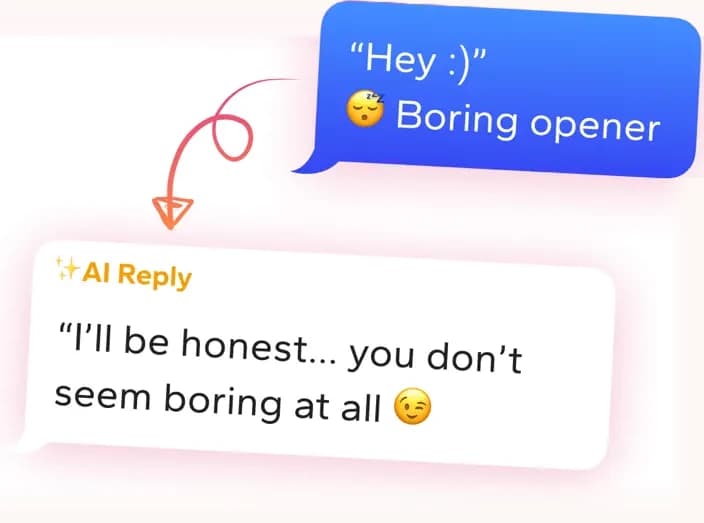
Get replies that sound like you
Screenshot the conversation in WingAI. It reads the vibe and gives you natural replies for this exact situation.
Try for freeWhy these replies fail
“I can see you're online, so you're ignoring me?”
It turns her status into evidence against her, which makes a casual delay feel like an accusation she has to answer.
“hello? hey? you there? hello”
Stacking pings the moment the green dot appears floods her inbox with your impatience and gives her nothing to actually respond to.
“Saw you were active an hour ago and didn't reply, did I say something wrong?”
Tracking when she was online and asking her to account for it shows you have been monitoring the status, and it starts the chat with guilt instead of ease.
Online does not mean looking at you
A lit status tells you her session is open, and that is the full extent of it. She may be three apps deep, watching a reel, replying to her sister, or holding the phone with the screen angled away. Your message can arrive in that stream and simply not get opened yet. Notice also that Instagram sorts conversations, so a newer contact can slip under the fold while she is looking at something else entirely. Treat the dot as a mild reason that now is a fine moment to write, not as proof she is waiting. If you catch yourself composing a theory about why she is online but quiet, close the app. The theory will be wrong more often than right, and it will color how you word whatever comes next.
Write for a half distracted reader
Picture the way she will read it: thumb scrolling, one eye on something else. A message built for that situation is short, picks up directly from her last line, and leaves a single easy opening. If she mentioned a trip, react to the trip. If she asked something, answer it plainly and stop. Resist stacking questions, because each one is a small chore and three of them feel like an interview. A playful aside or a quick observation costs her nothing to answer and gives her something to react to. Long reflective paragraphs belong in a conversation that is already moving, when both of you have settled in and are clearly giving it real attention.
Let the dot stop running your evening
Once the message is sent, your job is finished until she responds. Lock the phone and do something with an end point, like a workout, cooking, or a call with a friend. The temptation is to reopen the thread to see whether the status changed, and that habit feeds itself because each check delivers a tiny hit of information that means nothing. If hours pass and she was active the whole time, that tells you she was busy or uninterested in that moment, and watching harder will not reveal which. A single follow up a day later, light and tied to something real, is fair. Anything beyond that starts to read as pressure, and pressure rarely draws out a warmer answer.
Common mistakes
- Sending a second and third message within minutes because her status stayed active, which turns one easy line into a pile of unanswered demands.
- Mentioning that you saw her online as if it were a clue, which tells her you track her activity and makes her cautious about what she shows.
- Opening a heavy or emotional topic because she appears available, when someone casually scrolling has no space to give it proper attention.
Questions people ask
- What does active now mean on Instagram?
- It means her account had a live session in the last few minutes, whether the app is open on her phone or a browser tab. It does not mean she has read your message or is free to chat. Think of it as a loose hint about her device, not her attention.
- What does active today mean on Instagram?
- Active today means she opened Instagram sometime within roughly the past day, but not in the last few minutes. It is a vaguer window than active now. It tells you she uses the app regularly, which makes a reply more likely at some point, though not on any set schedule.
- Can someone hide that they are active on Instagram?
- Yes. Instagram lets people switch off the activity status in settings, and when they do, neither of you sees the other's status. So a missing indicator tells you nothing about whether she is online. Plenty of people turn it off precisely so nobody reads meaning into it.
- Is checking someone's active status on Instagram a bad habit?
- It becomes one when you do it repeatedly or let it decide your mood. A glance before you message is harmless. Returning to her profile again and again to watch the dot, searching for patterns, tends to raise anxiety without producing any answer you can actually use.
What users say
“I overthink every text. Having three options and picking the one that sounds like me cut that spiral short.”
Sam R.
“I was skeptical at first. Then I tried it on a dry chat and the replies actually sounded like me, not a chatbot.”
Mazoonx
“She went cold mid-week and I had no idea what to say. The reply I sent felt natural and she picked the chat back up.”
Marcus T.
“Used it for a couple hours and set up a date the same night. Not even kidding.”
Nikola2214
Get replies that sound like you
Screenshot the conversation in WingAI. It reads the vibe and gives you natural replies for this exact situation.
Try for free