Romantic comments on your girlfriend's WhatsApp pictures
How to leave a romantic comment on your girlfriend's WhatsApp picture, from status replies to profile photos, in a way that feels warm and doesn't crowd her pos
A picture on WhatsApp is a different thing from a picture on a public feed. When your girlfriend puts a photo in her status, she knows the audience is a short list of contacts, and you are on it. Nobody is counting likes. She is showing a small group something about her day, and your reply lands in her private inbox as a message, not under the photo for others to read. That changes what the reply is for.
What you want is for her to feel noticed in a specific way, so the reply should point at something you can see in the shot. Maybe the way the late sun hits the side of her face, or a ridiculous expression she clearly didn't plan, or the corner of a cafe table that tells you where she is. A detail like that proves you looked at this picture and not just any picture. It also gives her an easy thing to answer if she feels like talking.
Timing matters more here than on most platforms, because statuses vanish after twenty four hours and she can see exactly who viewed hers and when. Replying a few minutes after she posts feels like you were thinking of her. Replying at the last hour can feel like an afterthought. If you were busy, a short reply later is still fine, but skip the long apology for being late.
The usual backfire is treating the reply as a chance to perform. A paragraph of declarations, a pile of heart emojis, or a pivot to plans and logistics pulls attention off her photo and onto you. Because the reply sits in a one on one chat, an overlong message also reads as pressure, as though you expect a matching paragraph back. A line or two with real observation inside it leaves her room to respond in her own way.
Reading her response is mostly about rhythm, not words. A quick laugh, a voice note, a photo of her own, or a story about the shot all mean the door is open, and you can follow where she goes. A single emoji or a thumbs up usually means she's busy or tired, not unimpressed. Her mood, her workday, and whether she posted the photo for you or just for herself all shape the reply. Let the next message come from curiosity about what she says, not from a plan to keep the exchange alive.
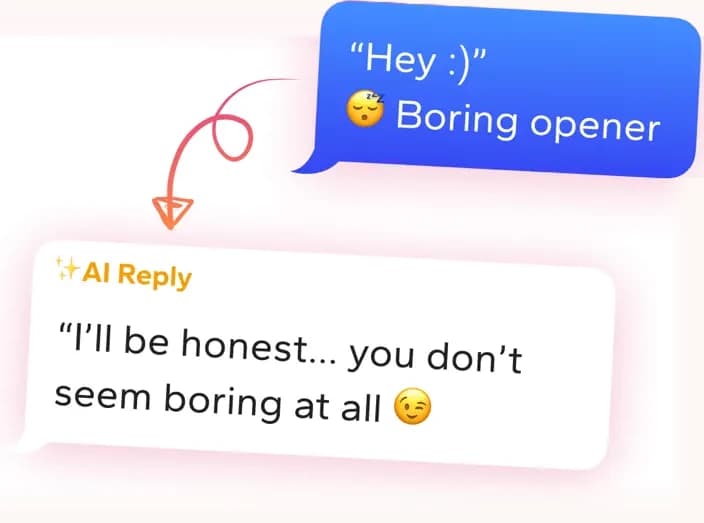
Get replies that sound like you
Screenshot the conversation in WingAI. It reads the vibe and gives you natural replies for this exact situation.
Try for freeStatus replies versus profile photo comments
WhatsApp gives you two spots to react. A status reply goes straight into your private chat with her, so it can be warmer and more personal than anything you'd write under a public post. A profile picture has no comment box at all, so reacting to a new one means sending a normal message that mentions it. In both cases the exchange is private, which frees you to be a little more intimate. Still, keep in mind that she may have posted for a wider group of contacts, so a reply that would embarrass her if a screenshot circulated is worth rewording. Match the tone to what she shared: playful for a goofy shot, quieter for a calm one.
Pick one detail and say it plainly
Scan the photo for the thing your eye landed on first. It could be her hair caught in wind, a new jacket, the look she gives when she is trying not to laugh, or the background that tells you she is at her favorite park. Name that one thing in your own plain words. You don't need a metaphor. Saying what you saw in the way you'd say it across a table sounds like you, and she will hear that. Skip the full inventory of everything attractive about her. One true observation beats a list, and it leaves her something concrete to answer.
Let the typing indicator guide you
WhatsApp shows blue ticks and a typing indicator, and both can tempt you into watching for her reaction. Resist the urge to send a follow-up when you see she has read it and not replied. People read statuses while commuting, in meetings, or half asleep, and a read receipt tells you she saw it, nothing about how she felt. If she starts typing and stops, she may be thinking of a good answer. Send your one reply, put the phone down, and carry on with your evening. A relaxed gap makes her reply, when it comes, feel unforced on both sides.
People also ask
- Should I reply to her WhatsApp status or send a separate message?
- Use the status reply button, since it attaches your words to the exact photo and shows up in her chat as a response to it. A separate message works for a profile picture change, which has no reply option. Replying directly to the status makes it obvious what you are reacting to.
- How soon after she posts should I comment?
- Within a few hours is a good target, and sooner feels warmer. Statuses expire after twenty four hours and she can see when you viewed it, so replying near the end of that window can look like an afterthought. If you missed it, a short late reply still lands fine.
- What if she posts a picture that shows other people?
- Stay on her. Mention her expression, outfit, or how she looks in the moment, and avoid commenting on the friends or strangers in the frame. Remarks about other people can sound like you are comparing, and a status reply is private enough that the focus should stay on the two of you.
- Is it okay to send a romantic comment if we have only been dating a short while?
- Yes, but keep it lighter and tied to something visible in the photo. Early on, a warm and specific reaction fits better than big declarations. As you get more comfortable with each other, the replies can grow more affectionate, but let her tone lead the pace.
Why these don't work
“OMG so gorgeous!!! 😍😍😍😍😍😍”
A string of emojis in a private WhatsApp chat reads like a reply you could send to any contact's status, so it fails to show you looked at her picture.
“Wow, can't wait to see you tonight, don't wear that out without me though lol”
Turning her status into a plan check and a jab about who sees her shifts the focus to your logistics and your jealousy instead of the photo she chose to share.
“I've been staring at this for ten minutes, you are the best thing in my life and I'm so lucky, I think about you all day and I really need you to know how much you mean to me”
Dropping a long emotional speech into a status reply puts pressure on her to answer in kind, when all she did was share a quick moment from her day.
Pitfalls to avoid
- Replying with a screenshot-worthy declaration to a status that other contacts can also see, without thinking about how she would feel if it were shared.
- Checking for the blue ticks and sending a second message when she hasn't answered within the hour, which turns a kind reply into pressure.
- Using the reply to settle plans, ask where she is, or question who took the photo, instead of reacting to the picture itself.
It doesn't sound like a bot
“I overthink every text. Having three options and picking the one that sounds like me cut that spiral short.”
Sam R.
“I was skeptical at first. Then I tried it on a dry chat and the replies actually sounded like me, not a chatbot.”
Mazoonx
“Didn't think it would be this good. The funny options actually get responses, which is wild.”
Nico_dang
“Used it for a couple hours and set up a date the same night. Not even kidding.”
Nikola2214
Get replies that sound like you
Screenshot the conversation in WingAI. It reads the vibe and gives you natural replies for this exact situation.
Try for free