How to Message on Tinder: First Texts That Get Replies
How to message on Tinder so your first text gets a reply. Learn what to say, when to send it, and how to read short or missing responses.
Picture the other side of the screen. Someone opens the app on a bus or in a lunch line, swipes through a dozen profiles in a few minutes, and matches with you on a flicker of interest. Hours later a notification shows up, sandwiched between messages from other matches. They have no history with you, no context, and very little patience. Whatever you send has to earn a reply in about two seconds of reading, because that is roughly the attention it will get.
Your aim is narrow. You are not trying to charm anyone, prove you are funny, or sum up your personality. You want one reply, and a reply happens when answering feels easy and slightly interesting. That means pointing at something they put on their profile, a photo setting, a bio line, a listed interest, and wrapping a single question around it. Pick the detail that has a story behind it rather than the most obvious one. A trip photo invites more than a gym mirror selfie does, and a quirky bio line invites more than a job title.
Timing on Tinder works differently than in a text thread with a friend. Matches pile up, and the people who log in once a day or every other day will see your message long after you sent it. Silence for the first day usually says more about their app habits than about you. Sending early, while the match is still fresh in their mind, helps because they may still remember why they swiped. After that, patience matters. Checking the chat every hour and spiraling over an empty inbox does nothing for your odds.
Several habits backfire reliably. Opening with a bare greeting tells them you spent no effort, so they spend none back. Leading with a comment on their looks puts them in the position of fielding the same line they have probably received dozens of times. Stacking two or three questions in one message feels like a form to fill out. Writing a paragraph about yourself gives them homework before they know whether they like you. Copying the same opener to every match is also easy to spot, especially when the detail you mention could apply to anyone.
Reading the response comes down to effort and shape. A reply that answers your question and adds something of its own, even a small detail or a question back, shows real interest, and you can match that energy. A single word or a bare emoji can mean they are busy, unsure, or lukewarm, so one follow-up with a more specific question is fair. If the second try gets the same thin answer, take it as a result. Pushing past that point turns a polite pass into an awkward chase, and your time is better spent on matches who are meeting you halfway.
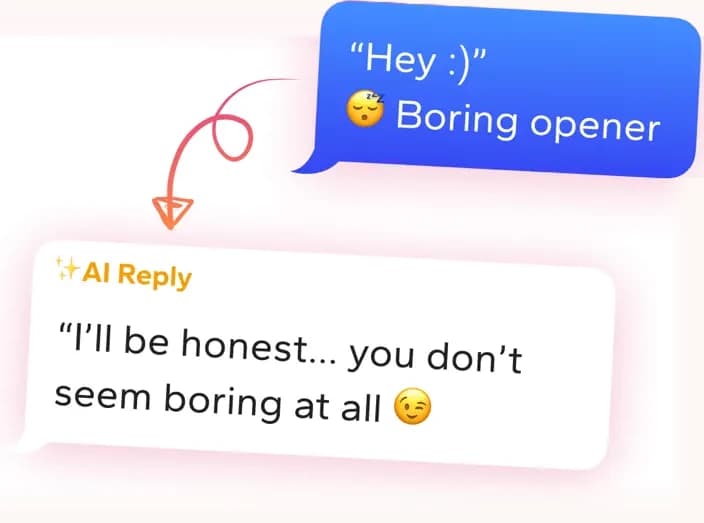
Get replies that sound like you
Screenshot the conversation in WingAI. It reads the vibe and gives you natural replies for this exact situation.
Try for freeTinder AI Screenshot the photos and get an opener for that match.
Why these don't work
“Hey, how's your week going?”
It could be sent to any match without reading a single word of their profile, so it gives them nothing specific to grab onto and sinks into a crowded inbox.
“You're gorgeous, honestly the best profile I've seen today.”
It comments only on looks, which they have likely heard from many matches, and it leaves no question to answer, so a reply feels optional.
“Love the dog in your second photo! What breed is it, how old, and does it come hiking with you?”
It does notice something specific, but three questions at once reads like a quiz and makes it hard to know which one to answer first.
Why your match went quiet
A match with no reply is rarely a verdict on you as a person. Swiping takes a second, and plenty of people match with more profiles than they ever plan to talk to. Your first message is the first time they get anything beyond photos, and if it looks like something they have read many times, there is no reason to stop scrolling. Sometimes the cause is dull and practical: they open the app once every couple of days, or they are juggling several chats and yours slid down the list. Before you rewrite your whole approach, check whether the message gave them something specific to answer. If it did, quiet may just mean bad timing.
Pick the detail worth mentioning
Scan the whole profile before you write anything. Look at the background of each photo, the odd item in the bio, the prompt answer someone clearly put thought into. The best detail is one that has a story attached, like a place, a hobby with a learning curve, or a joke they made about themselves. Mention it by name so it is obvious you read it, then ask about the story behind it, such as how they got into it or what the best version of it looked like. Skip anything that only comments on appearance. A broad interest like music or travel is too wide to answer in a sentence, so narrow it to something concrete.
When to follow up or let go
Send your opener soon after the match, then give it a day or two before assuming anything. If nothing arrives after about 48 hours, a single follow-up is reasonable. Make it fresh: a different observation from their profile or a lighter question, with no mention of the earlier silence and no apology. If another couple of days pass with nothing, stop there. A third message stops looking like interest and starts looking like pressure. Treat it as a quiet no for now and spend your attention on conversations that are moving. Matches who reply with short answers get one more try with a more open question, and after that you can let it fade.
Pitfalls to avoid
- Opening with a bare greeting and waiting for them to do the work of steering the conversation, which gives them no reason to reply over the other chats in their inbox.
- Asking several questions in one message, so the reply feels like filling out a survey and the easiest option becomes not answering at all.
- Sending a third or fourth message after two attempts have gone unanswered, which turns a missed opportunity into pressure and rarely changes the outcome.
People also ask
- How long should my first message on Tinder be?
- Keep it to two to four short sentences. That is enough room to name a detail from their profile and ask one question about it. Anything longer tends to get skimmed or skipped, and a long first message can feel like pressure to answer with equal effort.
- What should I do if my Tinder match only sends one-word replies?
- Try once more with a question that cannot be answered with a word or two, ideally tied to something on their profile. If the reply is still minimal, they are probably not looking for a real conversation or are distracted. Move your effort to matches who engage back.
- Is it okay to send the same opener to several matches?
- It is better not to. A reused line usually shows, because the detail it mentions is vague enough to fit anyone. Spending an extra half minute to find something particular on each profile makes your message look considered and gives them something specific to respond to.
- How do I message someone on Tinder for free?
- Once you match, open the chat from your match list, type in the box at the bottom, and send. Free accounts can message matches without paying. Paid features mostly cover extras like seeing who liked you, not the ability to chat with people you have matched with.
It doesn't sound like a bot
“She went cold mid-week and I had no idea what to say. The reply I sent felt natural and she picked the chat back up.”
Marcus T.
“I'm busy and half the profiles give you almost nothing to work with. WingAI gets me a solid first line fast without me staring at the screen for ten minutes.”
Ralph
“I was skeptical at first. Then I tried it on a dry chat and the replies actually sounded like me, not a chatbot.”
Mazoonx
Get replies that sound like you
Screenshot the conversation in WingAI. It reads the vibe and gives you natural replies for this exact situation.
Try for free