How to change your Tinder bio and actually attract better matches
How to change your Tinder bio, what to cut, what to keep, and how to tell whether the new version is working. Plain steps and timing advice.
Most people who search for how to change a Tinder bio want the button path first. Open your profile, tap Edit Info, and the About me box is right there. The harder question is what to put in it, and that is where the real gains are. The person reading your bio is mid-swipe, probably tired, probably looking at a dozen other profiles in the same ten minutes. They are not reading, they are scanning for a reason to pause or a reason to move on.
That changes what you are trying to achieve. A bio is not a résumé or a confession. It exists to give a stranger one easy thing to respond to later. A concrete detail about your Saturdays, a mildly odd preference, a plain statement about what you are after. Those give someone an opener they can write without strain. Vague adjectives hand them nothing, so the match arrives and then sits there while both of you wait for the other to start.
Timing matters more than people expect. Tinder shows your profile to a shifting crowd, and edits do not instantly rearrange who sees you. If you rewrite on Monday and judge on Tuesday, you are measuring noise. Wait at least a couple of weeks, and keep notes on something simple: how many matches wrote first, how many conversations passed a few exchanges. Changing the bio again before that pattern appears just resets the experiment.
Plenty of edits backfire for predictable reasons. People add a defensive line after one bad date, and the profile starts to read like a warning label. Others pile in every hobby they have ever mentioned, which makes the bio sound like a form field. Some copy a joke from a screenshot, and it lands flat because it does not sound like them. A few go blank on purpose. A blank bio gives a stranger no reason to gamble a swipe on you.
Reading the results takes some restraint. Fewer matches after a rewrite can mean the new text is filtering out people who were never a fit, which is a fair trade if the ones who remain actually message back. More matches with fewer real conversations suggests the bio is broad enough to attract curiosity but not specific enough to start anything. Look at the first messages you receive. If they quote something from your bio, the detail you chose is doing its work. If they are all just a greeting, the bio is giving people nothing to grab.
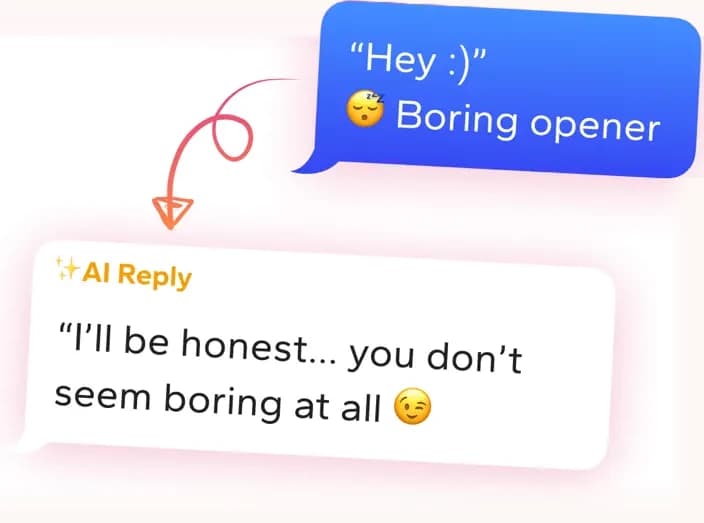
Get replies that sound like you
Screenshot the conversation in WingAI. It reads the vibe and gives you natural replies for this exact situation.
Try for freeTinder AI Screenshot the photos and get an opener for that match.
Finding the edit screen on Tinder
Open the app, tap your profile icon, then tap Edit Info. The About me field sits near the top, below your photos. Type your new text, then save before you leave the screen, because backing out without saving throws the draft away. Tinder lets you fill the box with a few hundred characters, but you do not have to use them. Draft the bio in your notes app first, read it aloud, and trim anything you stumble over. If the edit does not appear afterward, close the app fully and reopen it. Occasionally the old text lingers for a few minutes. Your photos and bio are edited in separate places, so changing one never touches the other.
Writing for the person mid-swipe
Picture the reader holding a phone with one thumb, half watching something else. They give your profile a few seconds. A bio that rewards that glance names something specific: the climbing gym you actually go to, the fact that you are learning to bake bread badly, the kind of Sunday you like. Specifics give them something to ask about. Skip anything a hundred other profiles also claim, like loving travel or good food. Those lines are true of nearly everyone, so they tell the reader nothing. If a sentence could be pasted onto a stranger's profile without anyone noticing, replace it with one that could only be yours.
Judging the new version fairly
Give a fresh bio around two weeks before you decide anything, since your profile needs time to reach enough different people. Track what happens rather than going on feeling. Note how many matches send the first message and how many chats get past a few exchanges. Pay attention to what people mention. If several quote the same line from your bio, keep it and build around it. If conversations stall in the same place every time, the bio may be promising something your profile does not deliver. Resist editing after a single odd interaction. One person misreading a joke tells you about that person, and a pattern across many tells you about the bio.
Frequently asked
- How do I change my bio on Tinder?
- Open the app, tap your profile icon, then tap Edit Info. The About me box sits below your photos. Type or paste your new text and save before leaving the screen. If the old version still shows, close the app fully and reopen it. The change usually appears within a few minutes.
- How long should my Tinder bio be?
- As long as it takes to say something specific, and no longer. Tinder allows up to 500 characters, but a few short lines usually read better than a block of text. Part of a long bio can also be cut off in the preview, so put your most useful detail first.
- How often should I change my Tinder bio?
- Change it when something real shifts, like a move, a new job, or a different goal. Otherwise leave each version up for about two weeks so you can see a pattern. Editing every few days stops you from learning what works, because each new version only gets a handful of views.
- What if I get fewer matches after changing my bio?
- Fewer matches can mean the bio is filtering better, so check the quality before reverting. If the people who match are messaging back and conversations last longer, keep it. If matches drop and chats stall too, wait the full two weeks, then try a different angle.
What not to send
“Rewrote my bio three times this week because the matches dried up on Tuesday”
Tinder needs days to show a new bio to enough different people, so editing every few hours means you never get a result you can read.
“Added 'no hookups, no games, no drama' right after a bad date”
The edit comes from one irritating person and reads as a warning to everyone else, which pushes away the easygoing matches you wanted.
“Copied a funny line from a screenshot of someone else's profile”
Anyone who has seen that joke recognises it, and a match who messages you expecting that personality will find a different one in conversation.
Mistakes to avoid
- Rewriting the bio after one bad date and adding defensive lines that make the whole profile sound guarded.
- Judging a new bio after a day or two, before it has been shown to enough different people to tell you anything.
- Listing every hobby you have ever had instead of picking one or two details you could talk about for ten minutes.
Real user feedback
“I'm busy and half the profiles give you almost nothing to work with. WingAI gets me a solid first line fast without me staring at the screen for ten minutes.”
Ralph
“I was skeptical at first. Then I tried it on a dry chat and the replies actually sounded like me, not a chatbot.”
Mazoonx
Get replies that sound like you
Screenshot the conversation in WingAI. It reads the vibe and gives you natural replies for this exact situation.
Try for free